

Note: This tool is designed exclusively for mobile players. Users on other devices can continue to use the web version normally.
The advantage of this tool is that it allows mobile players to access our map directly within the game, without needing extra devices or frequently switching between apps.
First, please download and install the blue app from the website above.
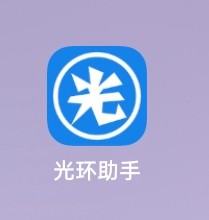
Warning: Do not uninstall. This is the launcher for the interactive map tool.
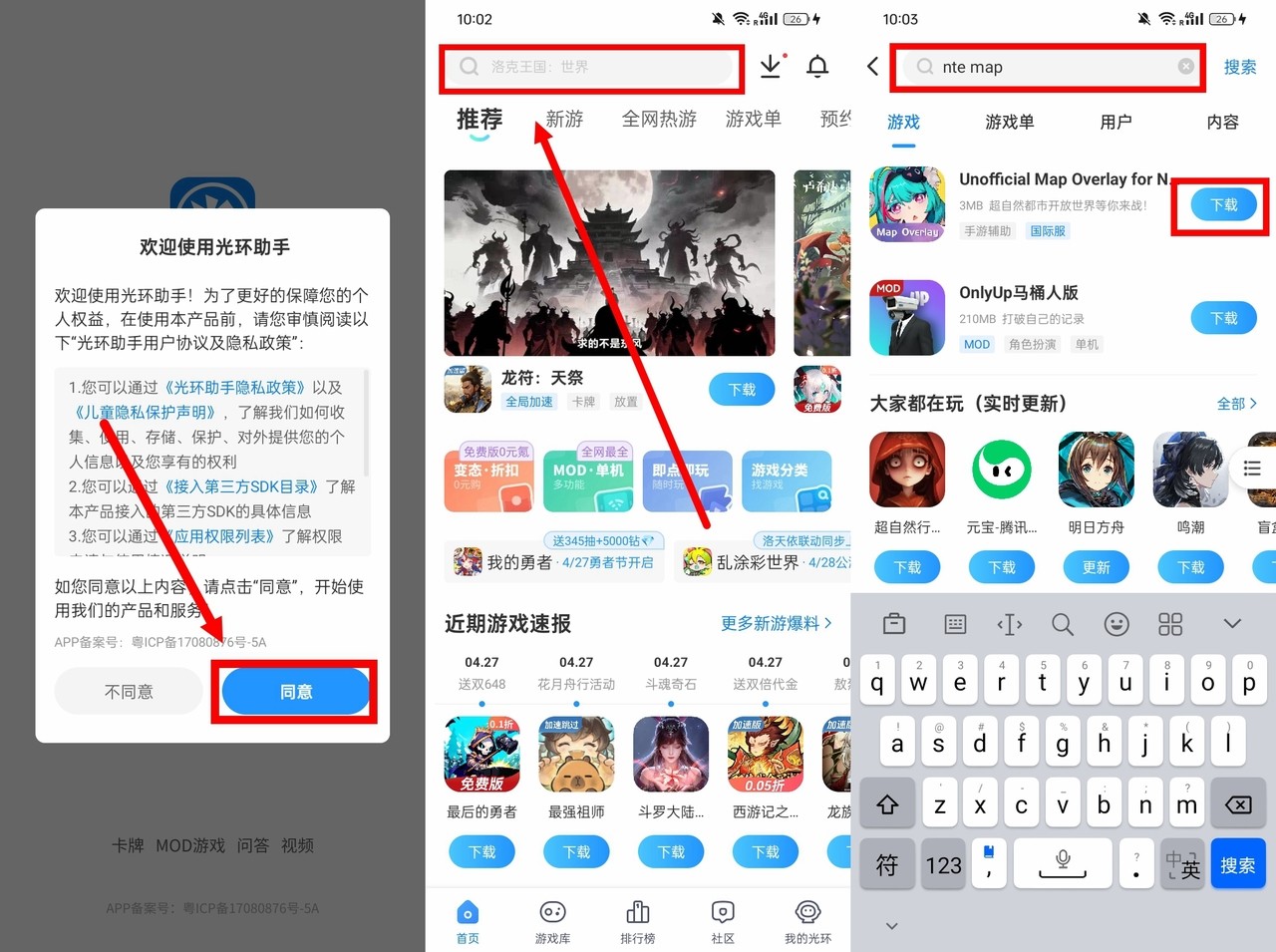
Open the app, Tap the 'Agree' button to enter the main page. Search for 'nte map' in the search bar above, and download and install the first application.
Open the map tool app and grant the necessary permissions as prompted.
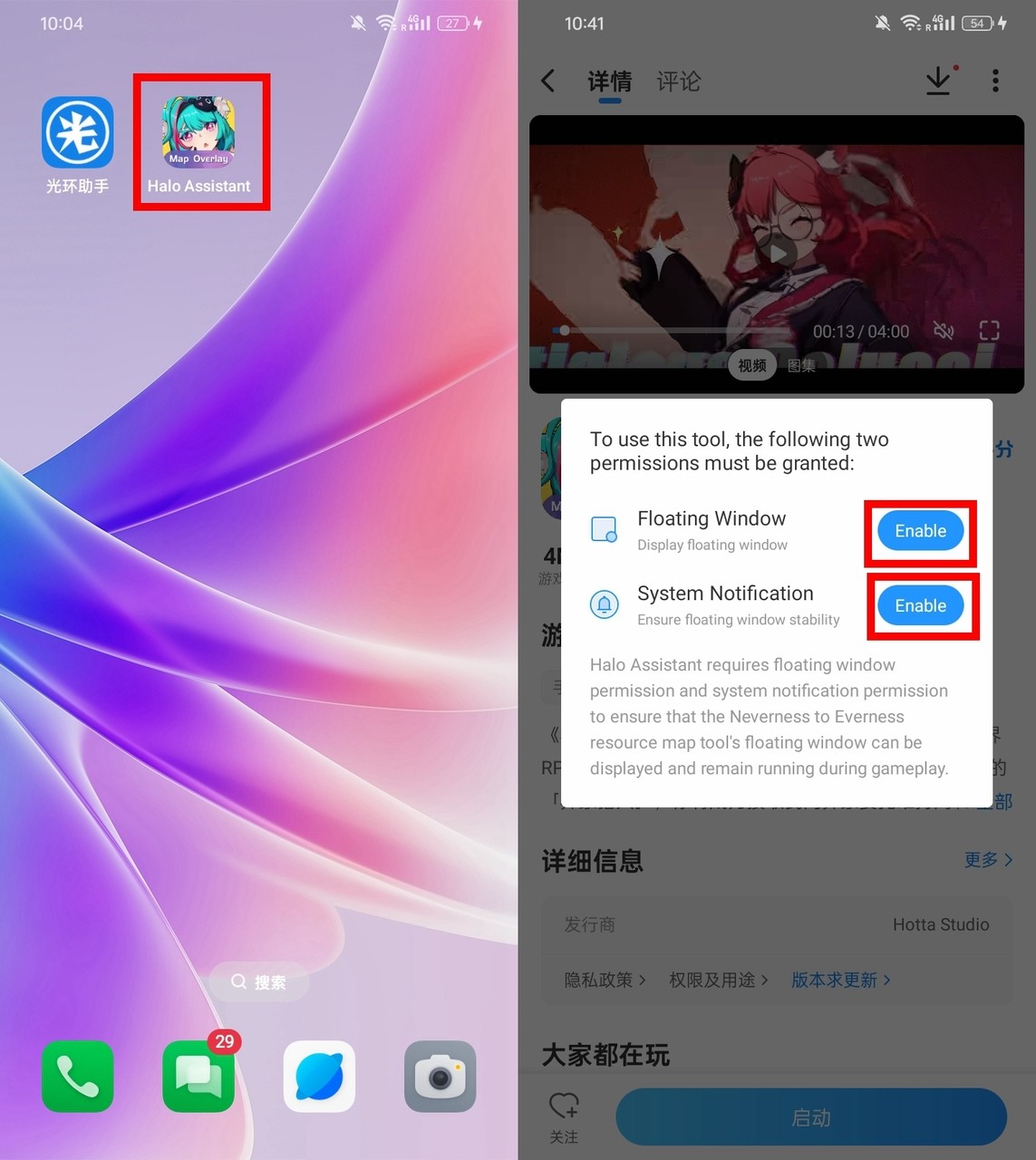
After granting permissions, tap the app icon again. It will launch the blue app and redirect you to the startup page.
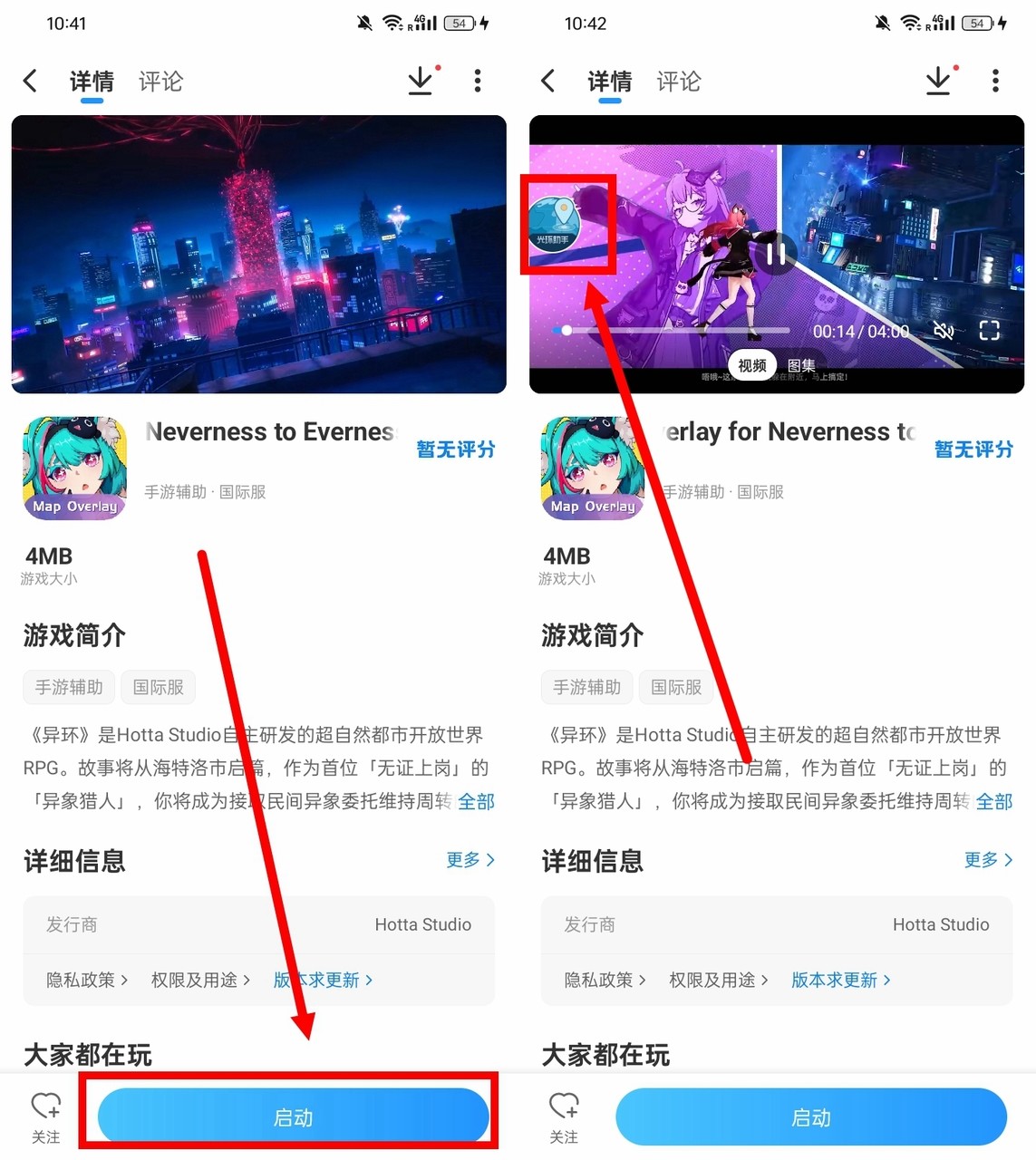
At this point, tap the 'Launch' button at the bottom. You will see a floating window appear in the top-left corner of the screen. This indicates that the installation is basically complete.
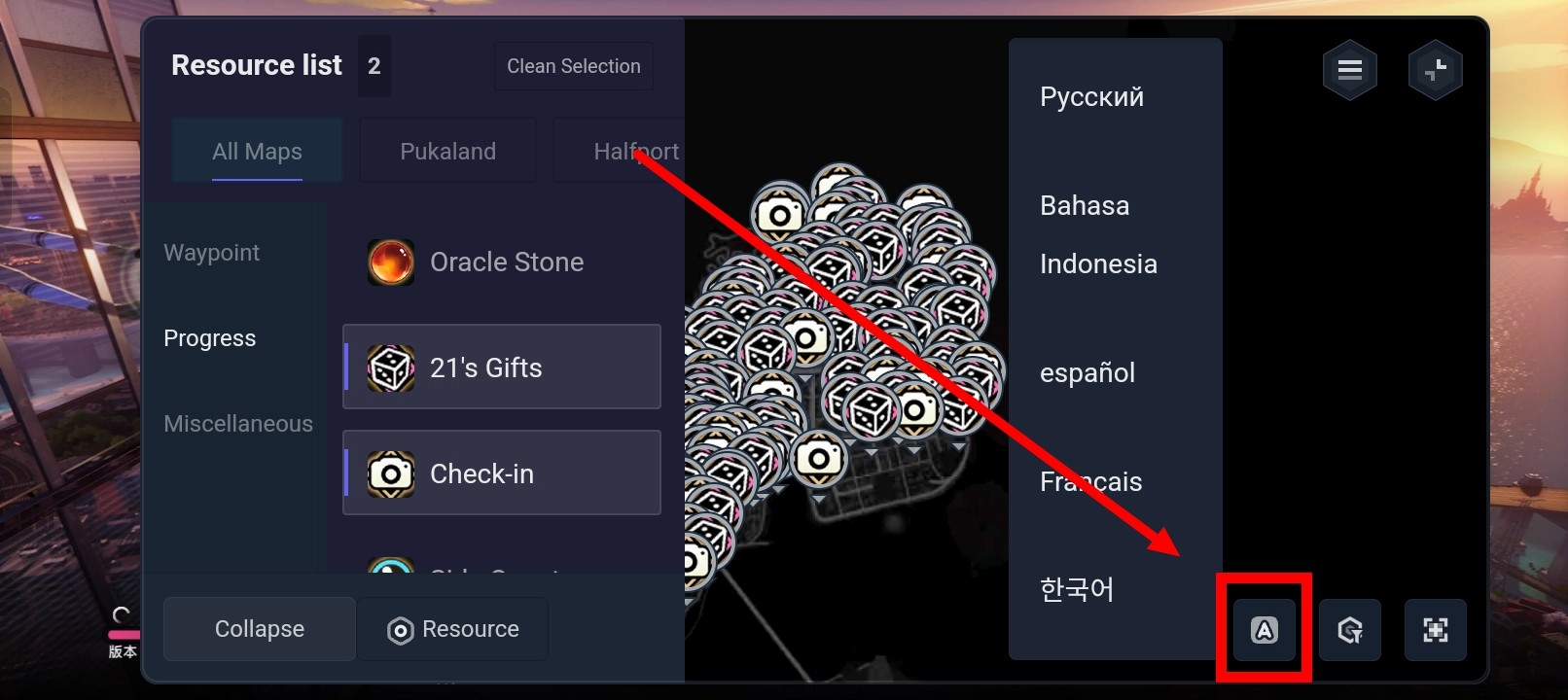
After launching the tool, click here to switch languages.
This tool can only be accessed in landscape mode. Therefore, we recommend launching the game first to unlock this orientation for smoother operation.
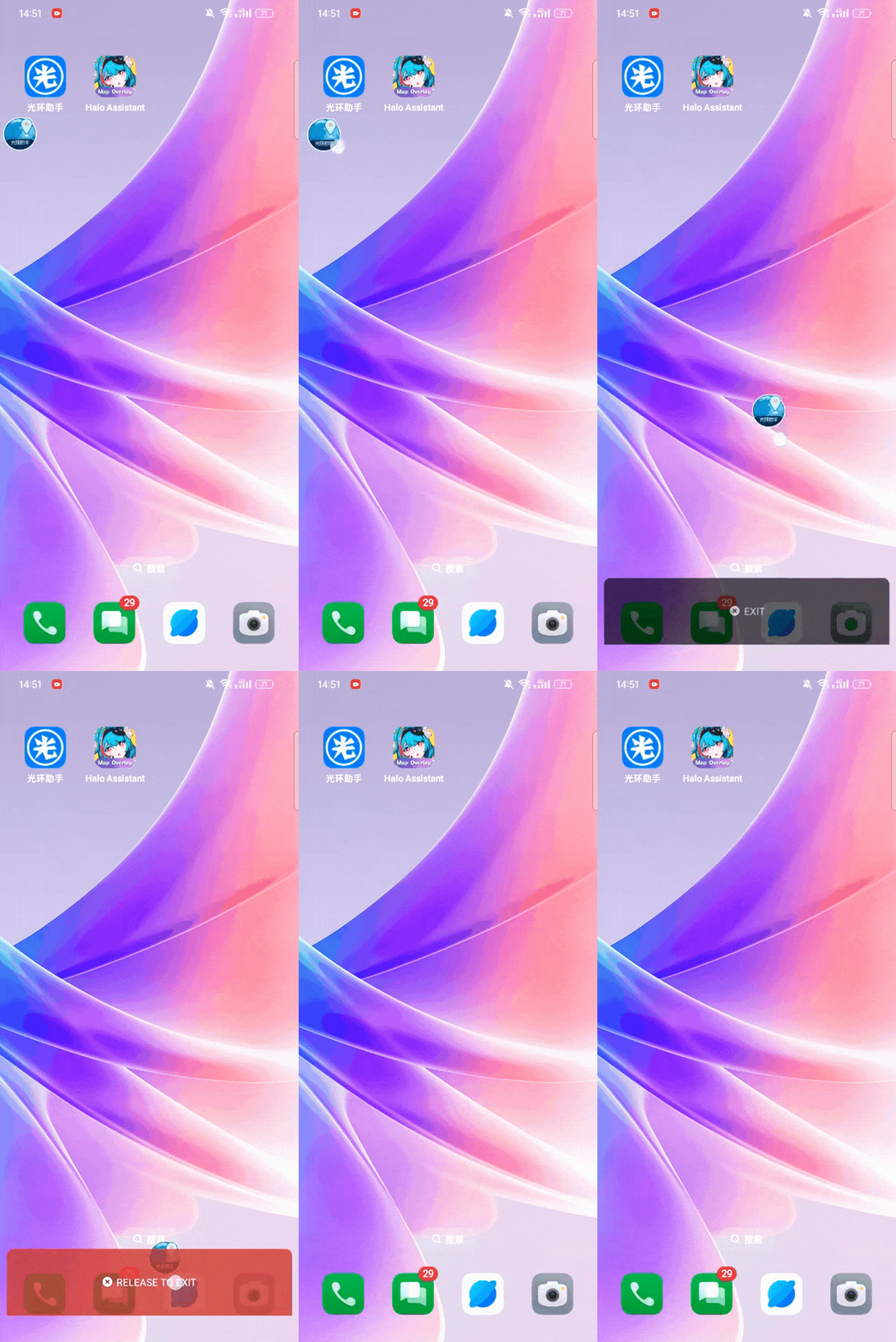
When you wish to exit the tool, simply drag the floating window to the bottom of the screen
If you encounter any issues, please add me on Discord : Map_Jing#7121 for feedback and assistance.